Copy From Ibook

We know the content will be with from blabla when we try to copy the content from the IBook. And this is really inconvenient.
Solution
There are two solutions which have the same idea. Get the content of the clipboard, using script to change the content and paste.
Using the Automator.app
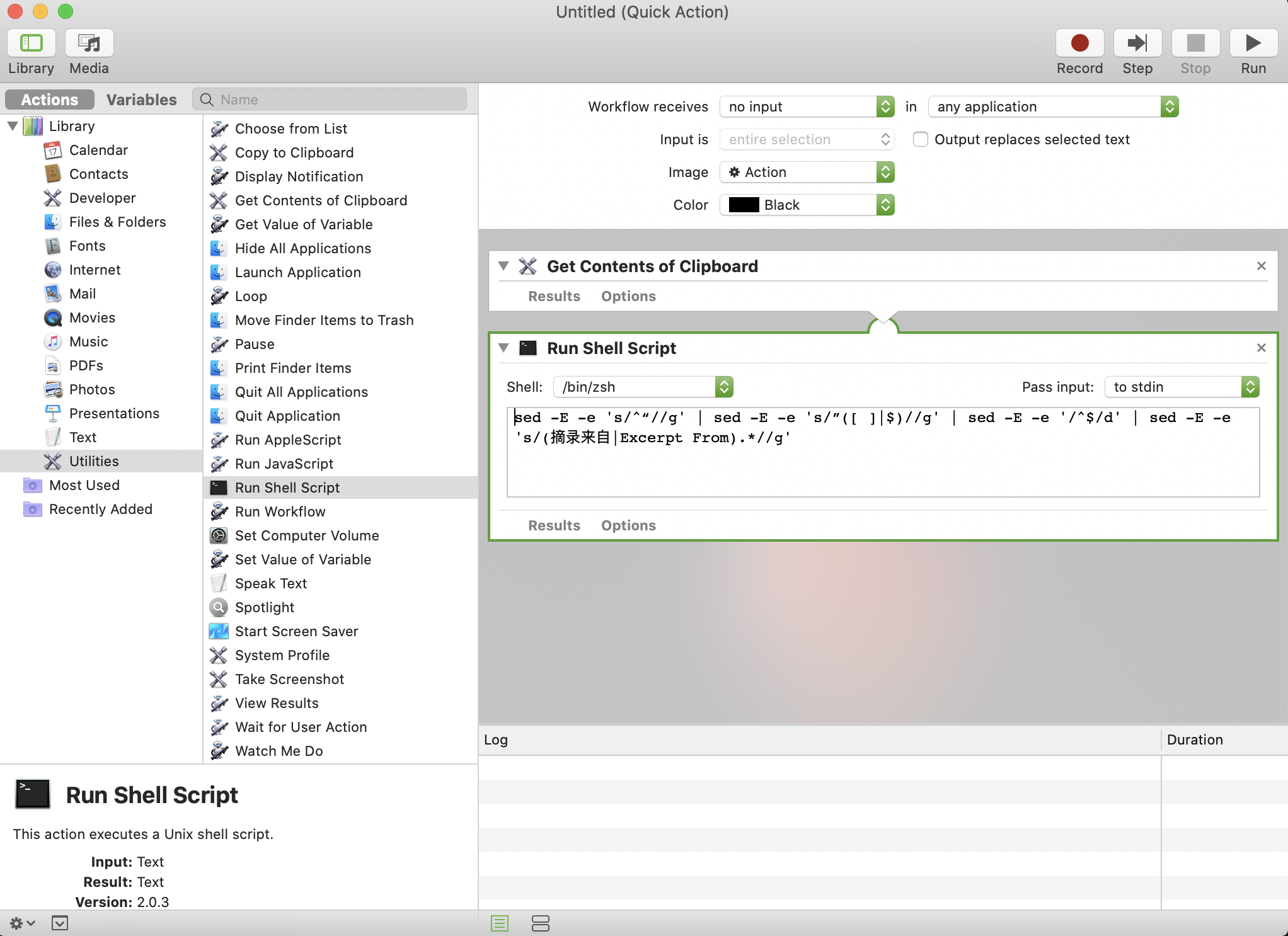
New a quick action
Add the
Get Contents of Clipboardaction(Library->Utilities-> Get contents of Clipboard)Add the
Run ShellScriptand add1
sed -E -e 's/^“//g' | sed -E -e 's/”([ ]|$)//g' | sed -E -e '/^$/d' | sed -E -e 's/(摘录来自|Excerpt From).*//g'
Note:
The sed has a bit different between MAC and Linux.
- Enable the workflow and set a hotkey(System->keyBoard->shortcuts->services->General)
Using Alfred
add a new workflow and using the
Paste as plain text from hotkeytemplate(plus icon -> Templates->Clopboard->Paste as plain text from hotkey)insert an
Run Scriptaction after Hotkey(right click->Insert After->Actions->Run Script) and add the script:1
2
3query=$1
echo -n $query | sed -E -e 's/^“//g' | sed -E -e 's/”([ ]|$)//g' | sed -E -e '/^$/d' | sed -E -e 's/(摘录来自|Excerpt From).*//g'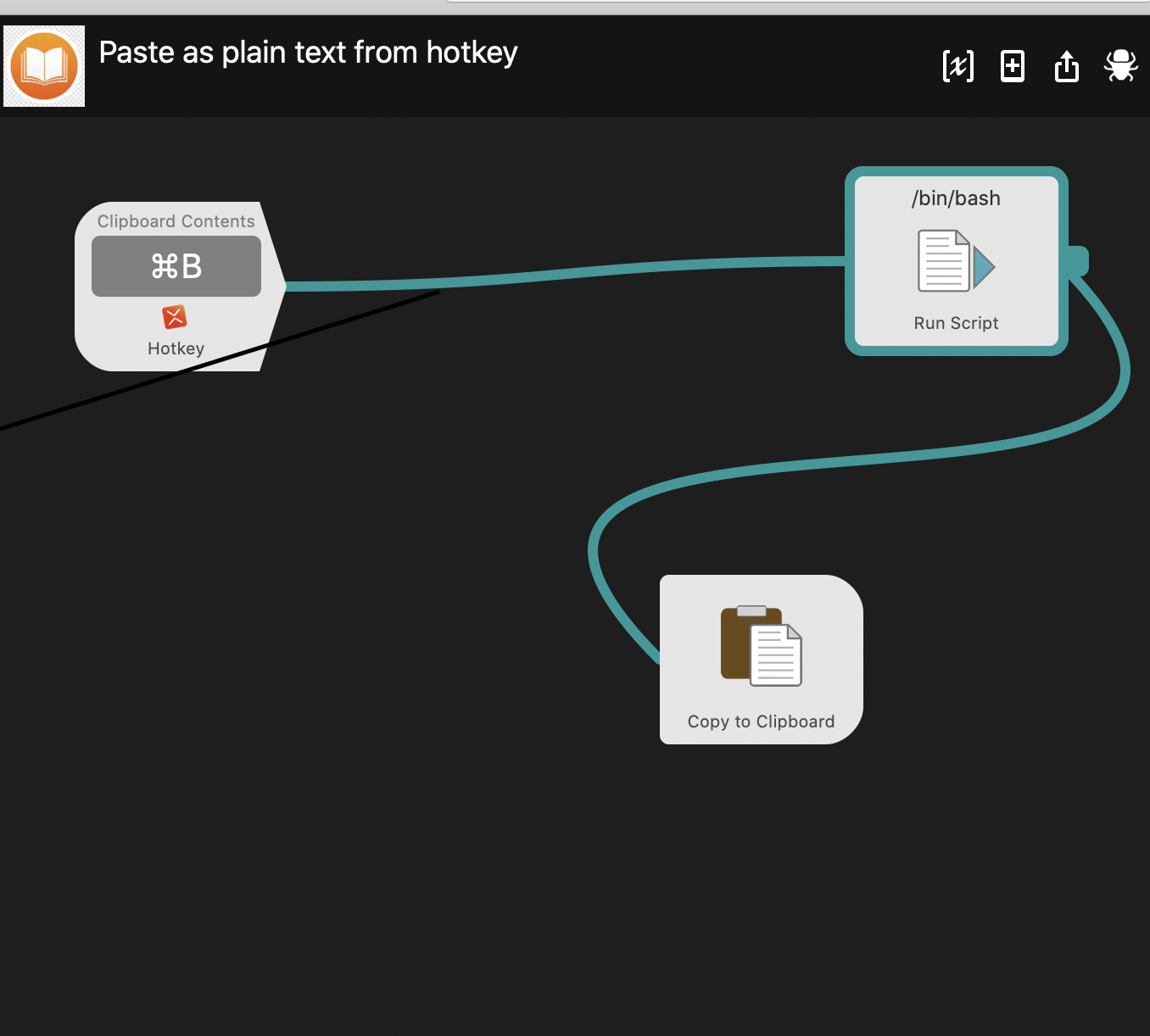
Usage
Using the hotkey which you have stetted after you copy words in Ibook.app.
Enjoy! 🎆️
This blog is under a CC BY-NC-SA 3.0 Unported License
Link to this article: https://younggod.netlify.app/2020/08/23/practice/CopyFromIBook/